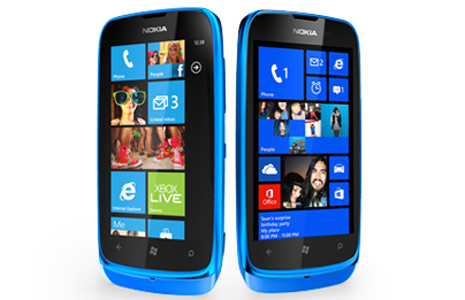
Microsoft will end the support of Windows Phone 8 on July 8 2014, for Windows Phone 7.8 October 9 2014 is last day for support.

| Products Released | Lifecycle Start Date | Mainstream Support End Date | Notes |
| Windows Phone 7.8 | February 9 2013 | October 9 2014 | Microsoft will make updates available for the Operating System on your phone, including security updates, for a period of 18 months after the lifecycle start date. Distribution of the updates may be controlled by the mobile operator or the phone manufacturer from which you purchased your phone. Update availability will also vary by country, region, and hardware capabilities. |
| Windows Phone 8 | December 14 2012 | July 8 2014 | Microsoft will make updates available for the Operating System on your phone, including security updates, for a period of 18 months after the lifecycle start date. Distribution of the updates may be controlled by the mobile operator or the phone manufacturer from which you purchased your phone. Update availability will also vary by country, region, and hardware capabilities. |
After end of support Windows Phone 7.8 & Windows Phone 8 Microsoft will not provide any update/solution for it.
Windows Phone 7 update history
Update 7.10.8862.144
Also known as Windows Phone 7.8*.
Start. Provides resizable small, medium and large Live Tiles so you can customise your Start experience in new ways.
Accent colours. Expands the number of available accent colours to 20.
Lock screen. Improves the lock screen experience with accidental wipe protection features and the Bing image of the day wallpaper.
Marketplace and Xbox. Expands Windows Phone Marketplace and Xbox support to new countries and regions.
Fonts. Enhances the Chinese font and improves the appearance of Arabic and other languages.
Live Tiles. Fixes performance issues from a previous update.
Other improvements. Includes many other improvements to Windows Phone.
This update is not available in all markets or for all phones.
*Windows Phone 7.8 is the official product name Microsoft use to describe this release. However, due to a quirk of software development, the actual OS version is identified as 7.10.8862.144. You'll see both of these names on your phone in Settings > About > More information.
Update 7.10.8773.98
Messaging. Adds new messaging capabilities to your phone. You can now attach multiple pictures, videos, audio notes and ringtones to text messages.
Other quality improvements. Includes many other improvements to Windows Phone.
This update is not available in all markets or for all phones.
Update 7.10.8107.79
On-screen keyboard. Fixes an issue to prevent the keyboard from disappearing during typing.
Email. Fixes a Gmail synchronisation issue.
Location. Fixes a location access issue. With this fix, the Me feature in the People Hub only sends anonymous information about nearby WiFi access points and mobile phone masts to Microsoft if you agree to allow the Check In function to access and use location information.
Security. Revokes digital certificates from DigiCert Sdn Bhd to address an encryption issue.
Email threads. Fixes an email issue related to Microsoft Exchange Server 2003. With this fix, when you reply to or forward a message, the original message is now included in your response.
Voicemail. Fixes a voicemail notification display issue that occurs on some European and Asian networks under certain conditions.
Update 7.10.7740.16
Email threads. Fixes an email issue related to Microsoft Exchange Server 2003. With this fix, when you reply to or forward a message, the original message is now included in your response.
Voicemail. Fixes a voicemail notification display issue that occurs on some European and Asian networks under certain conditions.
This update is available only in certain markets.
Update 7.10.7720.68
Also known as Windows Phone 7.5*.
Hundreds of new and improved features. Based on your feedback, Microsoft have scoured Windows Phone from top to bottom looking for ways to make it easier for you to connect and share with friends, discover and use smarter applications, and tap into the power of the web.
*Windows Phone 7.5 is the official product name Microsoft use to describe this release. However, due to a quirk of software development, the actual OS version is identified as 7.10.7720. You'll see both of these names on your phone in Settings > About > More information.
Update 7.0.7392.0
Fix for fraudulent third-party digital certificates. This update includes a critical fix to an industry-wide issue with nine untrusted digital certificates that were issued by one root certificate authority. These third-party digital certificates are used to access popular websites and email portals.
Although this is not a Microsoft security vulnerability, these untrusted certificates may be used to spoof content, perform phishing attacks or perform man-in-the-middle attacks against all web browser users. This update moves the affected certificates to the "Untrusted Publishers" certificate store on Windows Phone, which helps ensure that these fraudulent certificates are not inadvertently used. For more info, see Microsoft Security Advisory (2524375).
Update 7.0.7390.0*
Also known as the "NoDo" update.
Copying & pasting. Press a word and drag the arrows to copy and paste text on your phone. You can copy text from emails, text messages, web pages and Office Mobile documents, and paste it anywhere you can type. To learn more, see Copying and pasting.
Faster applications and games. Nobody likes to wait. That's why Microsoft've whittled down the time it takes for applications and games to start up and resume. It's all part of our focus on getting you to the things you love, easier and faster.
Better Marketplace search. Microsoft have streamlined Marketplace search to make it easier to find specific applications, games or music. Press the Search button in the Applications or Games section of Marketplace and you'll only see applications or games in the results. Press Search in the Music section of Marketplace to search just the music catalogue.
Other Marketplace improvements. Microsoft have improved the stability of Marketplace while you download applications. Microsoft have also improved the experience of downloading applications that are larger than 20 megabytes, upgrading from trial applications to paid applications, sharing links to applications via email, sorting Xbox LIVE games by release date and creating an Xbox LIVE account from within the Games Hub.
WiFi improvements. Microsoft have now display your phone's Media Access Control (MAC) address in Settings. (You might need this info if you try to connect to a WiFi network that uses MAC address filtering. To learn more, see Connecting to a WiFi network.) Microsoft have also removed the limit on the number of WiFi profiles that you can store and reduced the time it takes to start your phone if you've stored lots of WiFi profiles.
Outlook improvements. Microsoft have improved the experience of viewing iPhone photo attachments you receive from a non-Exchange-based email account (such as a Gmail, Hotmail or Yahoo! Mail account), using the Global Address List (GAL) when connecting to Exchange Server 2003 using Exchange ActiveSync, and working with email display names that contain brackets (for example, "David Alexander [Contoso]").
Facebook integration. Microsoft have improved the experience of synchronising Facebook accounts.
Camera improvements. Microsoft have improved the stability of switching between camera and video modes.
Audio improvements. Microsoft have improved the experience of using a Bluetooth headset to make calls when you're playing music or videos.
Other performance improvements. This update also includes software from several phone manufacturers that improves the performance of specific models. Naturally, if you don't have one of the affected models, Microsoft won't install this portion of the update on your phone.
*New phones with OS version 7.0.7389.0 include all of the features and improvements that are included in OS version 7.0.7390.0.
Update 7.0.7008.0
Update process improvements. This behind-the-scenes update improves the update process itself.
Windows Phone 8 update history
Update 8.0.10211.204
Messaging improvements. A great messaging experience is now even better. You can now add multiple recipients at the same time when you send a text message and automatically save unsent text messages as drafts. You can even edit received text messages before you forward them.
Text replies to incoming calls. Can't take a call? Now you can send a prewritten text reply to a caller directly from the call answer screen. It's a nice way to let people know that you're not ignoring them.
Internet Explorer improvements. You can now change your settings to prevent pictures from downloading automatically – an easy way to help keep data usage low. You can also delete selected sites from your browsing history and leave the rest intact.
WiFi connectivity. Have a favourite WiFi network? Windows Phone 8 will now prioritise WiFi connections based on your connection history.
Other improvements. Includes many other improvements to Windows Phone.
This update will be made available at different times, depending on your country or region, mobile operator and phone model.